![Kangaroo-Rewards-App-Icon-BLUE-Oct-01-2025-07-47-23-2450-PM.png]](https://support.kangaroorewards.com/hs-fs/hubfs/Kangaroo-Rewards-App-Icon-BLUE-Oct-01-2025-07-47-23-2450-PM.png?height=40&name=Kangaroo-Rewards-App-Icon-BLUE-Oct-01-2025-07-47-23-2450-PM.png)
What is a push notification?
A push notification is a notification that can be sent to customers via the marketing engine in the business portal. They will receive it on their mobile device through the Kangaroo Rewards app.
These notifications also apply to the white label app. Once set up from Kangaroo business portal, the push notification gets sent to the branded application.
Please note that the alert type for push notifications can only be an offer.
Multi offers can be selected to be sent out simultaneously.
How to create and send out a push notification:
- Go to the Kangaroo Business portal and go to the Marketing-All Campaigns section.
- Click on the Create a New Campaign button.
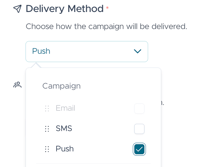
- Select Push as the delivery method
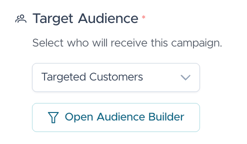
- Choose if the campaign is to be sent to All Customers or to Targeted Customers.
- If Targeted Customers is selected, select the filter to target the customers of this campaign by opening the Audience Builder.
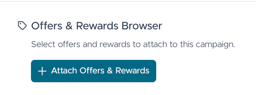
- You can choose to attach an Offer, and select an offer or reward from the list.
- Enter the Subject of the campaign.
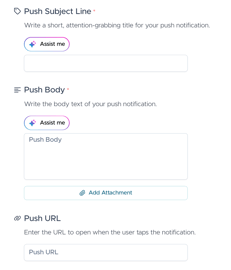
- Customize the push message.
- Click Send Immediately to send the campaign out within the hour or schedule this campaign by checking the Send Campaign in the future button and selecting the date and time to send the campaign.
- Once the campaign is sent, a success message will pop up.