![Kangaroo-Rewards-App-Icon-BLUE-Oct-01-2025-07-47-23-2450-PM.png]](https://support.kangaroorewards.com/hs-fs/hubfs/Kangaroo-Rewards-App-Icon-BLUE-Oct-01-2025-07-47-23-2450-PM.png?height=40&name=Kangaroo-Rewards-App-Icon-BLUE-Oct-01-2025-07-47-23-2450-PM.png)
Why use template matching
Receipts from a given store tend to have a consistent layout: logo placement, font style, column arrangement, and footer text. A fabricated or altered receipt will typically look different enough from genuine ones to score below the match threshold. Template matching adds a visual layer of verification on top of the text extraction already performed by the system.
Mismatch behaviour options
There are three options for what happens when a receipt fails to match a template:
- Off: Template matching is completely disabled. Uploaded templates are stored but not evaluated. Choose this if you are still gathering templates but not ready to enforce matching yet.

-
Flag for review: Receipts that do not match a template are flagged and routed to the review queue. A staff member will decide whether to approve or reject them. This is the recommended starting point when first enabling template matching.

-
Auto-reject mismatches: Clear mismatches are rejected automatically without any staff involvement. Partial matches (those that are close but not above the threshold) are still sent to the review queue. Use this option only once you are confident your templates are comprehensive and your threshold is well-calibrated.

Match threshold
The match threshold is a score from 0 to 100 that a submitted receipt must reach to count as a successful match. The default is 60%, meaning a receipt must visually match at least 60% of the markers present in a template. Raising the threshold makes matching stricter and increases the chance that borderline legitimate receipts are flagged. Lowering it makes matching more permissive.
Start at 60% and monitor your review queue. If too many genuine receipts are being flagged, lower the threshold slightly. If fraudulent submissions are still getting through, raise it.

Managing templates
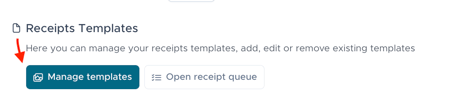
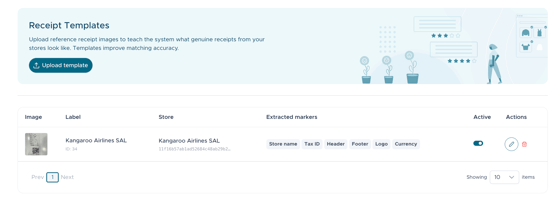
Click Manage templates to add, edit, or remove reference receipt images. For best results, upload several genuine receipt images per store to account for natural variation (e.g., different cashiers, different time-of-day formatting, different item quantities). Higher-quality, well-lit images produce more reliable matching scores.