- Go to the Kangaroo Rewards business portal.
- Click on Settings.

- Click on Apps & Integrations.
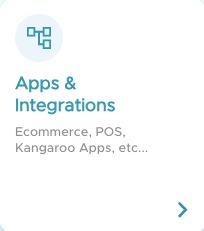
- Click on Configure.

- Scroll down to the end of the page and click on Advanced.
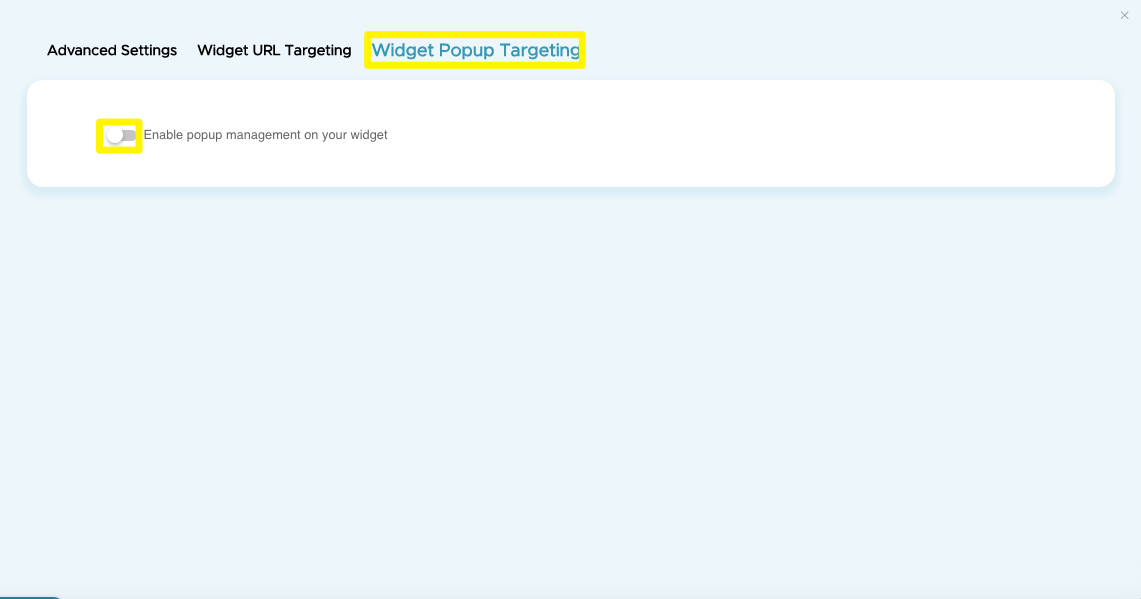
- On the top bar press on Widget Popup Targeting and Enable popup management on your widget button.
- Once enabled press on Add New Pop.

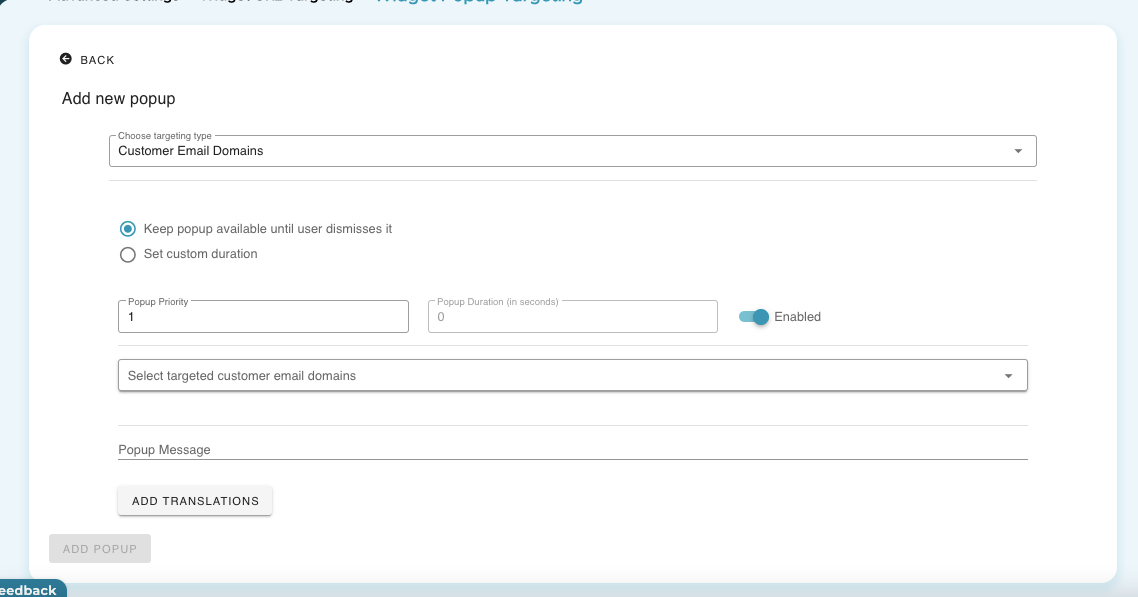
- Choose which type of audience to target from the available options.
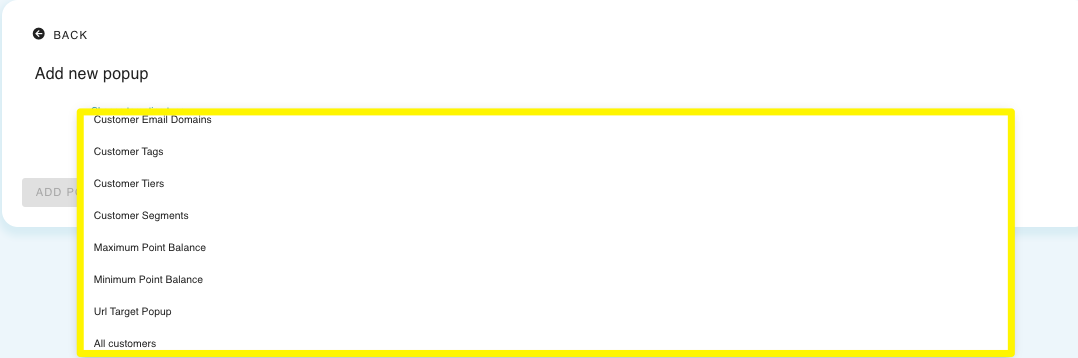
- Choose the targeted audience, you will be able to add the conditions as shown below.
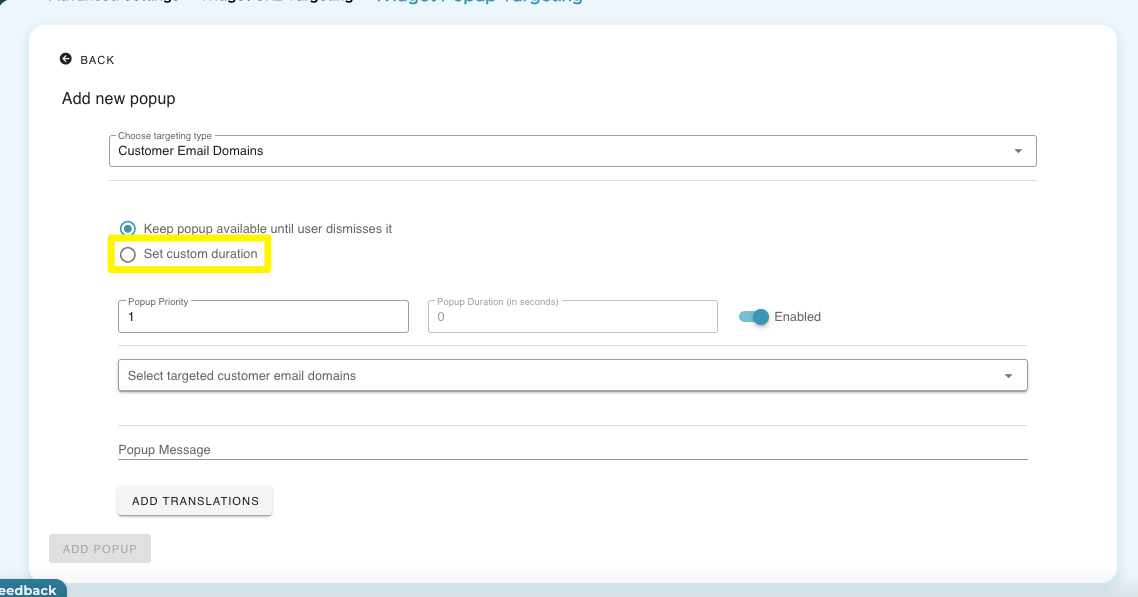
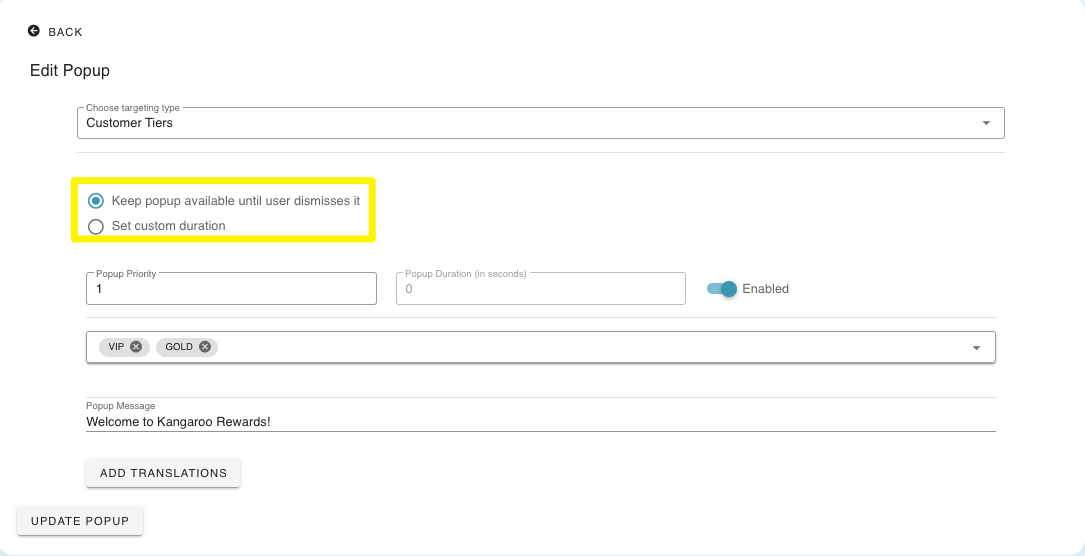
- Choose the duration of the popup by checking the Set Custom Duration button.
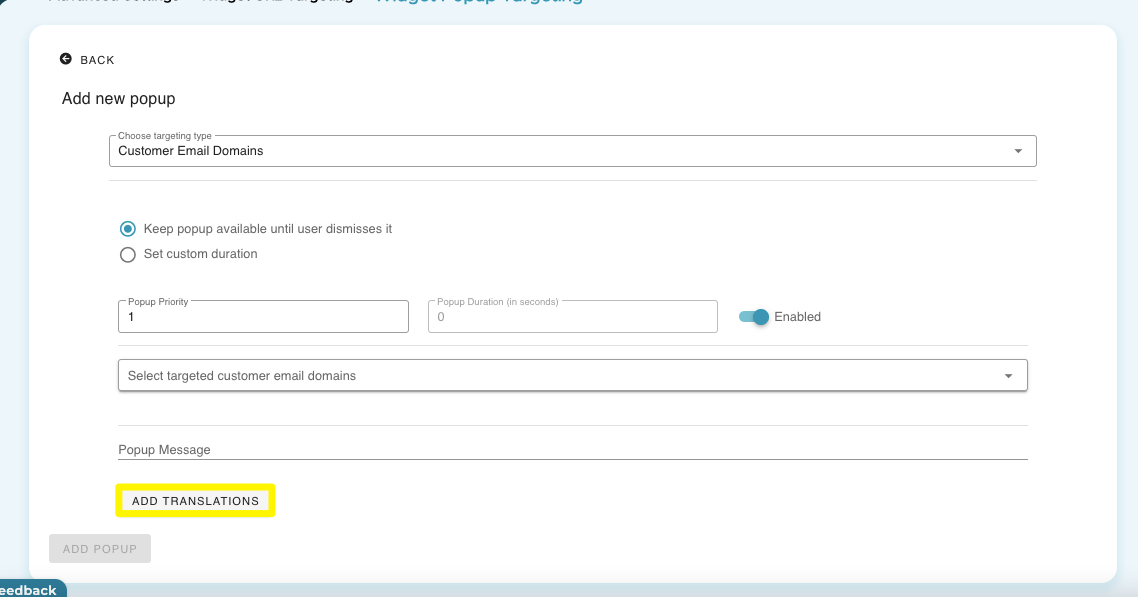
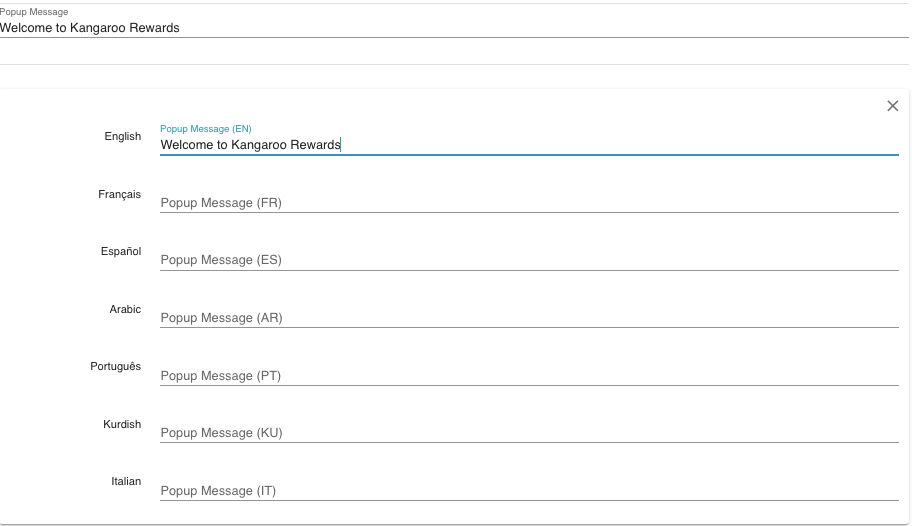
- Set the translation for your popup message from the available languages by pressing on Add Translations.
- Choose the Priority of each of your popups.
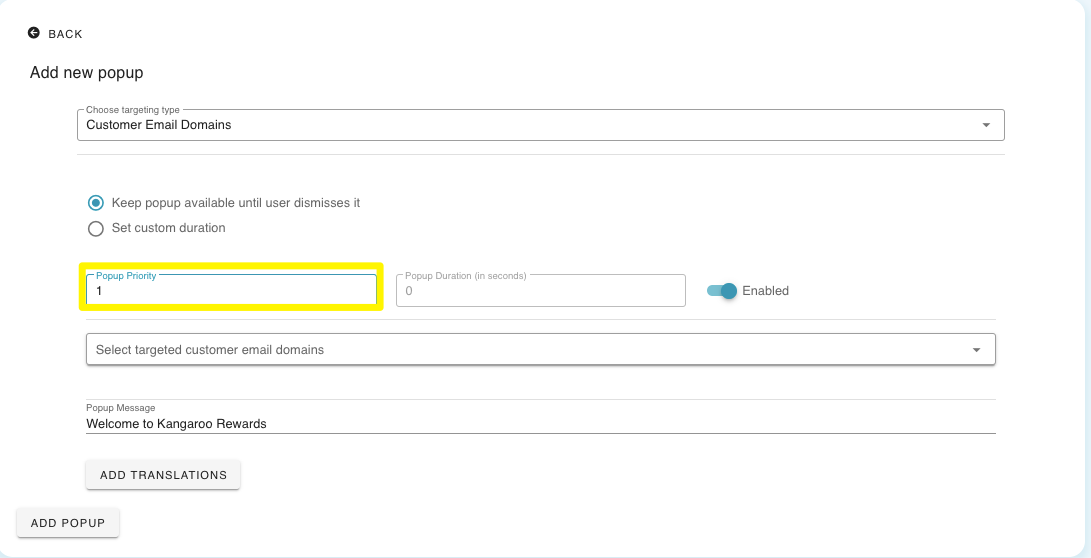
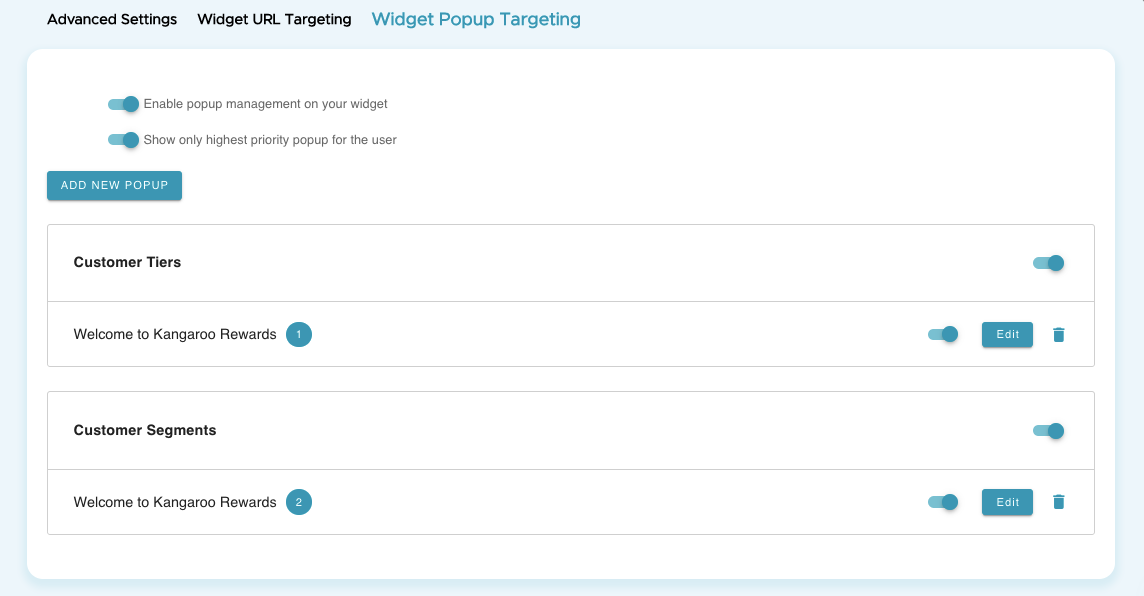
- Choose a priority for your popups they will be displayed as shown below.
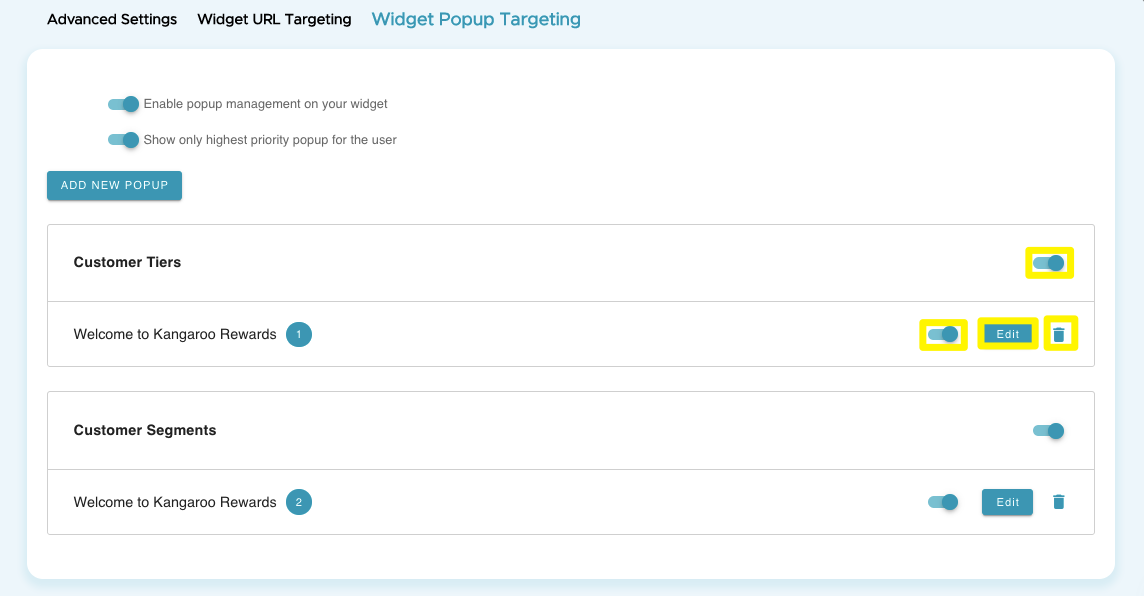
- Choose to edit, delete or disable the popup from the buttons on the right side.
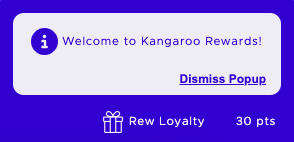
- The pop up message will only show once and it will be dismissed based on the settings you have chosen whether to be dismissed by the user or at a specific duration.
- Pop display on widget.
English
![Kangaroo-Rewards-App-Icon-BLUE-Oct-01-2025-07-47-23-2450-PM.png]](https://support.kangaroorewards.com/hs-fs/hubfs/Kangaroo-Rewards-App-Icon-BLUE-Oct-01-2025-07-47-23-2450-PM.png?height=40&name=Kangaroo-Rewards-App-Icon-BLUE-Oct-01-2025-07-47-23-2450-PM.png)