![Kangaroo-Rewards-App-Icon-BLUE-Oct-01-2025-07-47-23-2450-PM.png]](https://support.kangaroorewards.com/hs-fs/hubfs/Kangaroo-Rewards-App-Icon-BLUE-Oct-01-2025-07-47-23-2450-PM.png?height=40&name=Kangaroo-Rewards-App-Icon-BLUE-Oct-01-2025-07-47-23-2450-PM.png)
This feature is only available for basic offers.
Here is how the business can set it ups
Here is how the business can set it ups
- Go to the business portal.
- Click on the "Offers" section.
- Click on "Create an offer".
- Select any type of offer "Basic Offers".
- Fill out the short form to create the business offer.
- Select the Start date and expiry date (date the business is creating the offer).
- Fill the custom field in optional parameters "Days to Claim".
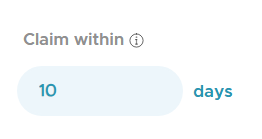
e.i: If the offer is received on a customer's birthday, they have X days to use it from the moment they receive the offer. - Click on "Next"