- Log in to the Kangaroo Business portal and go to the Tiers section.
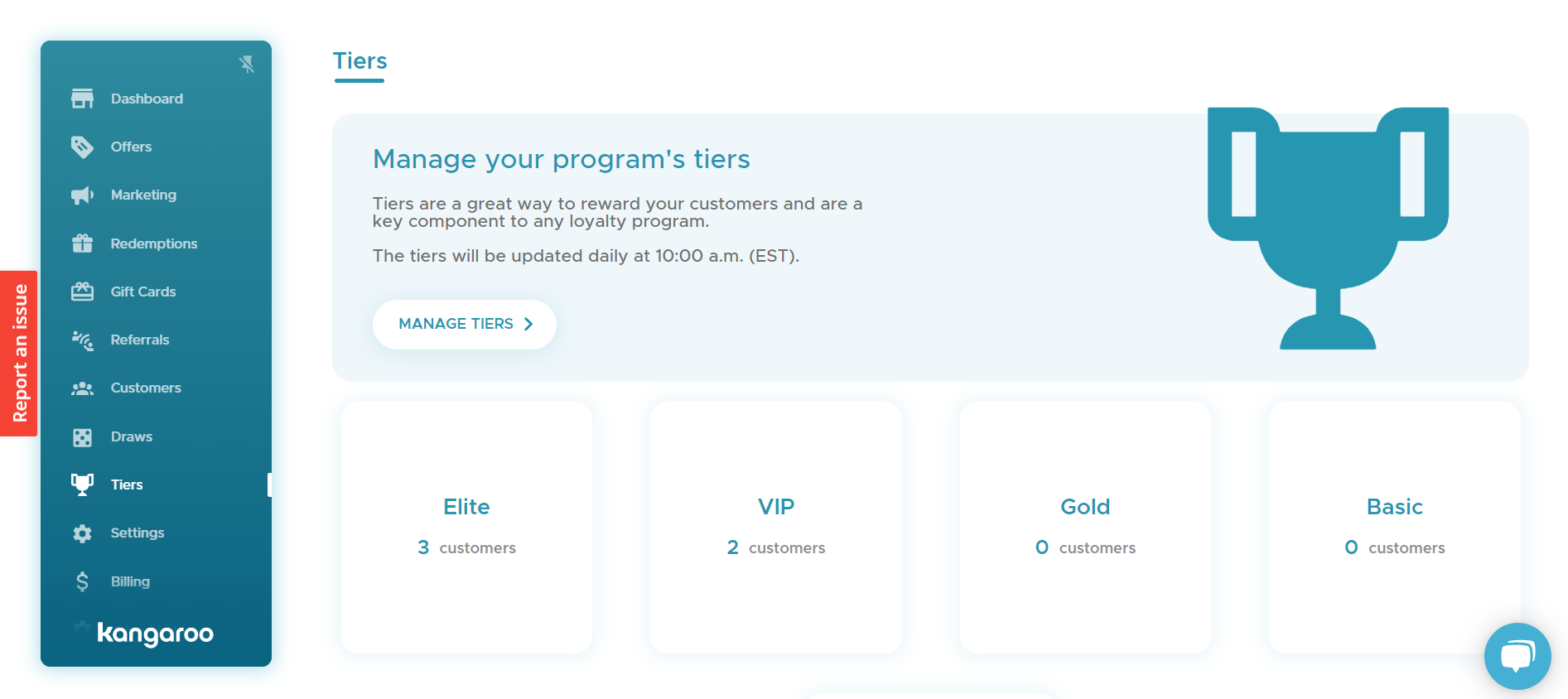
- Click the Manage Tiers button and select the Customer Status is defined manually option in the customer status calculation field.
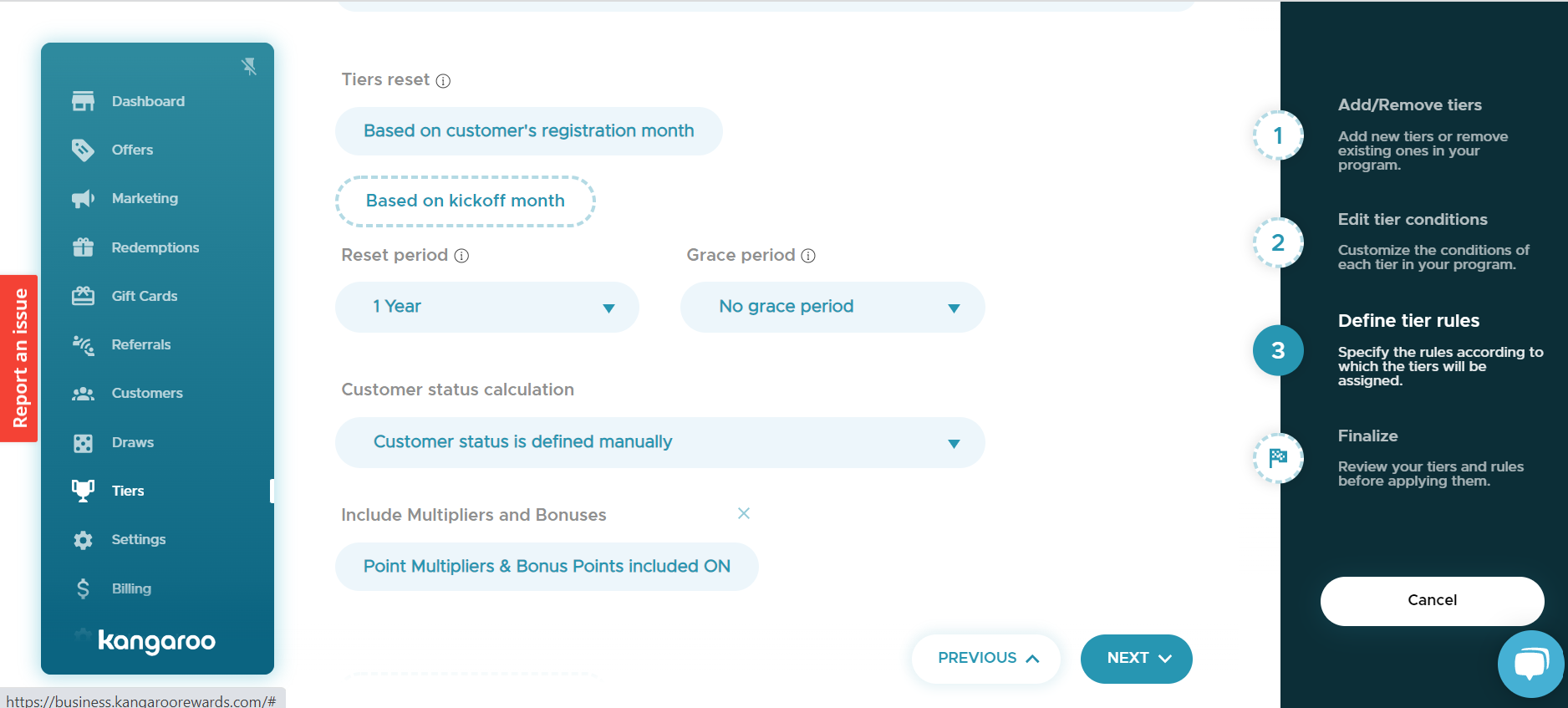
- Click on Save to save the changes made.
- Go to the Customers section and search for the customer using one the fields.
-png.png?width=1894&height=831&name=Screenshot%20(98)-png.png)
- Click on the User Details button and then click on the Pen to edit.
-png.png?width=1888&height=830&name=Screenshot%20(100)-png.png)
- Click on the Select Tier drop down list and select the Tier status to assign.
-png.png?width=1892&height=831&name=Screenshot%20(99)-png.png)
- Click on the Save button to save the changes made.
English
![Kangaroo-Rewards-App-Icon-BLUE-Oct-01-2025-07-47-23-2450-PM.png]](https://support.kangaroorewards.com/hs-fs/hubfs/Kangaroo-Rewards-App-Icon-BLUE-Oct-01-2025-07-47-23-2450-PM.png?height=40&name=Kangaroo-Rewards-App-Icon-BLUE-Oct-01-2025-07-47-23-2450-PM.png)