
- Help Center
- Products
- Attaching a Product
-
Kangaroo Apps
-
Email/SMS/Push Marketing
-
Workflows
-
Kangaroo Business Portal App
-
Points
-
Redeeming points
-
Offers
-
Tiers
-
Referrals
-
Branding
-
Release Notes
-
Rules
-
Customers
-
Gamification
-
Gift Cards
-
Analytics
-
Branches
-
Kiosk
-
Frequent Buyers Program
-
Surveys
-
Merchant App
-
White Label App
-
Business portal
-
Subscription
-
Members App
-
New Business Portal
-
Business Profile
-
Import Transaction
-
One-Pagers
-
FAQ
- FAQ- Lightspeed R Series
- FAQ- Shopify POS
- FAQ- Shopify ECOM
- FAQ- Lightspeed ECOM
- FAQ - WooCommerce
- FAQ - Standalone
- FAQ - BigCommerce
- FAQ - Magento
- Kangaroo Booking
- FAQ-Heartland
- FAQ - Judge.me
- FAQ- Lightspeed X Series
- FAQ- Lightspeed K Series
- FAQ- Lightspeed L Series
- FAQ - Lightspeed E Series (Ecwid)
- FAQ - MindBody POS
-
API
-
Kangaroo Reviews
-
Products
How to create a Free Product offer /redemption in Shopify?
In order to create a Free Product offer or redemption in Shopify, you should follow the steps below:- First in the Kangaroo Business Portal, you go to the Offers or Redemptions section on the left under the main menu or Redemptions depending on which you want to create.


- Then to start creating the offer, press on Create an Offer.
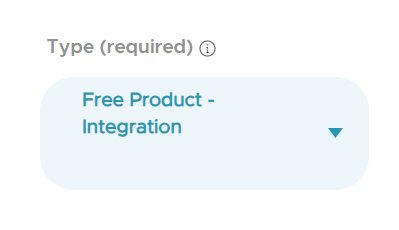
- While filling in the required fields, you should insert in the Required Reward Type as Free Product Integration.
- This step will let the Product button when you scroll below to the optional parameters turn blue.
- Once you press on it, it will open a pop up for you to choose the Products from under the Shopify section.
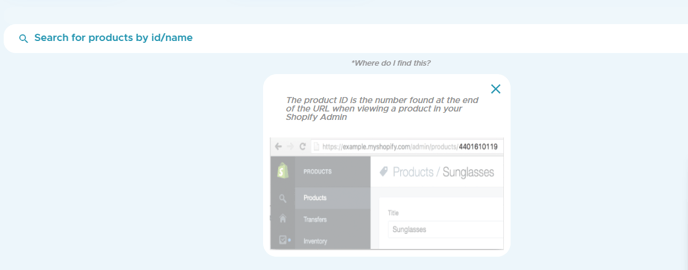
- In case you did not find the item directly on the screen, you can search via the ID number or the name of the Product in the Search bar. And if you cannot find your item, click on the Where do I find this? button to know where to find it in Shopify.
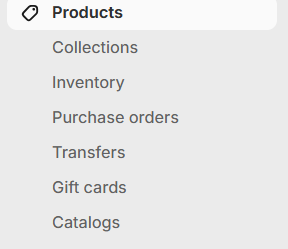
- Going back to Shopify to find the ID or the name of the item/product, on the main menu to the right, press on Products so that it takes you to all the products section.
- Then after you find the product or item requested, you press on its name so that it takes you to another tab. Once inside this tab, you can find the ID Number at the end of the URL of the product page. You can copy this number and paste it in the search bar back in the Kangaroo Business Portal to get the item.

- When you find the item/product and select it back in the Kangaroo Business Portal, you press done on the right below then proceed with creating your offer.