
- Help Center
- Products
- Attaching a Product
-
Kangaroo Apps
-
Email/SMS/Push Marketing
-
Workflows
-
Kangaroo Business Portal App
-
Points
-
Redeeming points
-
Offers
-
Tiers
-
Referrals
-
Branding
-
Release Notes
-
Rules
-
Customers
-
Gamification
-
Gift Cards
-
Analytics
-
Branches
-
Kiosk
-
Frequent Buyers Program
-
Surveys
-
Merchant App
-
White Label App
-
Business portal
-
Subscription
-
Members App
-
New Business Portal
-
Business Profile
-
Import Transaction
-
One-Pagers
-
FAQ
- FAQ- Lightspeed R Series
- FAQ- Shopify POS
- FAQ- Shopify ECOM
- FAQ- Lightspeed ECOM
- FAQ - WooCommerce
- FAQ - Standalone
- FAQ - BigCommerce
- FAQ - Magento
- Kangaroo Booking
- FAQ-Heartland
- FAQ - Judge.me
- FAQ- Lightspeed X Series
- FAQ- Lightspeed K Series
- FAQ- Lightspeed L Series
- FAQ - Lightspeed E Series (Ecwid)
- FAQ - MindBody POS
-
API
-
Kangaroo Reviews
-
Products
How to create a Free Product offer /redemption in Big Commerce?
In order to create a Free Product offer or redemption in Big Commerce, you should follow the steps below:
- First, you click on Offers on the left under the main menu or Redemptions depending on which you want to create.


- Then to start creating the offer, press on Create an Offer.
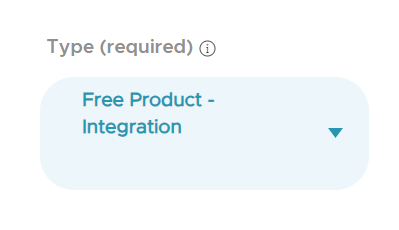
- While creating the offer or redemption, you add the reward type as Free Product Integration.
- Once, chosen, you can scroll down and click on Product in the optional parameters below.
- Then a popup will show with the products/items. Kindly make sure to choose the product from the Big Commerce Section. In case you don't find the item mentioned, you can search for it in the search bar through its name or ID.
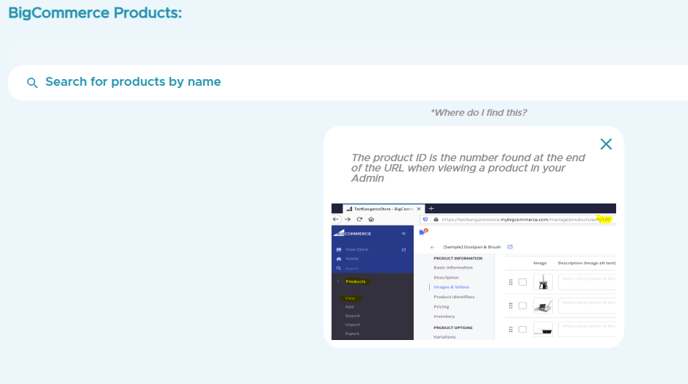
- The product ID is found at the end of the URL when viewing the product in your Admin.
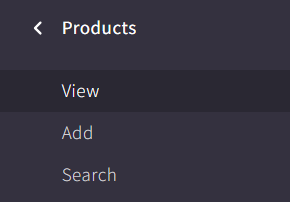
- You go back to Big Commerce and press on the Products under the main menu and press View to check all the products.
- Then, you copy the code at the end of the URL to paste it in the search bar back at the Kangaroo Business Portal. Create your offer and save.
