- Go to Kangaroo Business Portal.
- Go to Settings.
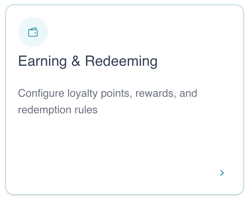
- Go to Earning and Redeeming.
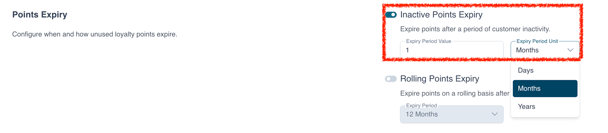
- Scroll down to Point Expiration toggle on the Inactive Points Expiry
- You can choose between Days, Months or Years.
-
Please note that it is recommended to use this option separately from the Rolling Points Expiry.
-
If the Points Expiry option is not available in your account, please contact the support team through our live chat or email us at support@kangaroorewards.com.
English
![Kangaroo-Rewards-App-Icon-BLUE-Oct-01-2025-07-47-23-2450-PM.png]](https://support.kangaroorewards.com/hs-fs/hubfs/Kangaroo-Rewards-App-Icon-BLUE-Oct-01-2025-07-47-23-2450-PM.png?height=40&name=Kangaroo-Rewards-App-Icon-BLUE-Oct-01-2025-07-47-23-2450-PM.png)