![Kangaroo-Rewards-App-Icon-BLUE-Oct-01-2025-07-47-23-2450-PM.png]](https://support.kangaroorewards.com/hs-fs/hubfs/Kangaroo-Rewards-App-Icon-BLUE-Oct-01-2025-07-47-23-2450-PM.png?height=40&name=Kangaroo-Rewards-App-Icon-BLUE-Oct-01-2025-07-47-23-2450-PM.png)
To search for a customer:
Both sets of information on the account (email/phone number) are needed.
Follow the below steps:
- Log into the Kangaroo Business Portal.
- Go to the Customers - Customers Management section.
- Click on the Filter button
- Search for the customer using their phone number, and email address, or other criteria.
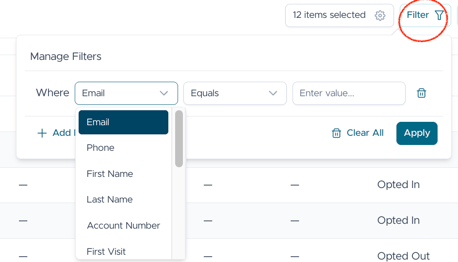
- Press Apply and results will appear.