![Kangaroo-Rewards-App-Icon-BLUE-Oct-01-2025-07-47-23-2450-PM.png]](https://support.kangaroorewards.com/hs-fs/hubfs/Kangaroo-Rewards-App-Icon-BLUE-Oct-01-2025-07-47-23-2450-PM.png?height=40&name=Kangaroo-Rewards-App-Icon-BLUE-Oct-01-2025-07-47-23-2450-PM.png)
Follow the below steps:
- Go to the Kangaroo business portal.
- Click on the Settings.
- Click on Business Profile & Branches.
- Scroll down to All Branches and press on the Eye button.

- Scroll down to All Employees and press on the Pen icon to Edit
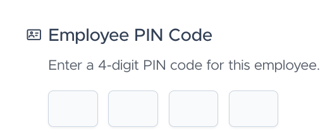
- Re-enter the employee pin in the Employee Credentials section.
- Click Save Employee.