![Kangaroo-Rewards-App-Icon-BLUE-Oct-01-2025-07-47-23-2450-PM.png]](https://support.kangaroorewards.com/hs-fs/hubfs/Kangaroo-Rewards-App-Icon-BLUE-Oct-01-2025-07-47-23-2450-PM.png?height=40&name=Kangaroo-Rewards-App-Icon-BLUE-Oct-01-2025-07-47-23-2450-PM.png)
Follow these steps to redeem an Amazon product using your business white-label app:
-
Open the app and log in or sign up to access your account
-
Go to the Rewards Section
-
Check Your Profile & Points
-
Make sure your profile information is accurate
-
Ensure you have enough points to redeem the product
-
-
Search for Products
-
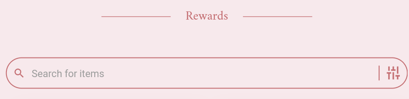
You can search for a specific product using the search bar
-
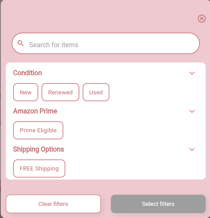
Use the filter button to narrow down your search if needed
-
-
Select a Product
-
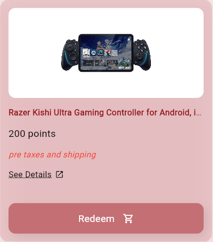
For products without variants, click Redeem
-
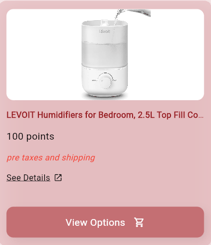
For products with variants, click View Options to see available variants and the points needed
-
-
Confirm Redemption
-
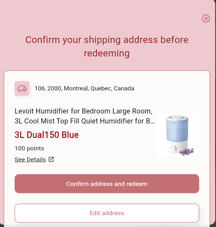
After pressing Redeem, confirm your delivery address
-
A pop-up will show if the redemption is successful
-
The points will then be deducted from your account
-