- Go to the Kangaroo Business portal and go to the Marketing - All Campaigns section.
- Click on the Create Campaign button.
- In the Basics Section, as a Delivery Method, you can select if the campaign is to be sent by Email, SMS, or Push. Prioritize email over SMS or SMS over email by dragging the priority to the top.
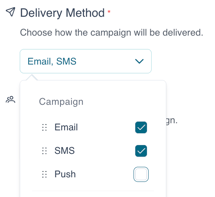
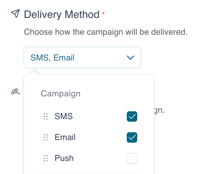
- To change the priority simply drag the options selected in the list and set them from high to low.
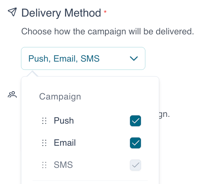
- Customers will only receive one message with the top priority being sent first.
English
![Kangaroo-Rewards-App-Icon-BLUE-Oct-01-2025-07-47-23-2450-PM.png]](https://support.kangaroorewards.com/hs-fs/hubfs/Kangaroo-Rewards-App-Icon-BLUE-Oct-01-2025-07-47-23-2450-PM.png?height=40&name=Kangaroo-Rewards-App-Icon-BLUE-Oct-01-2025-07-47-23-2450-PM.png)