- Go to the Kangaroo Business portal and to the Settings section and to Engagement & Marketing.
- Activate the Enable the Notify Tier Change rule.
- Click on Save to save the changes made.
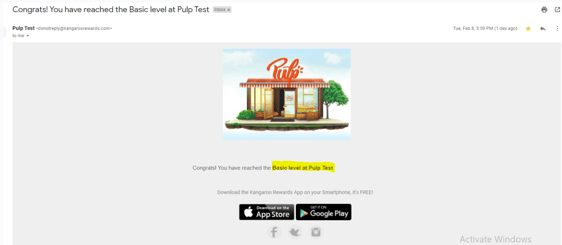
- The customer will receive a congratulation email like the below to be notified when they reach a certain tier level, or you can customize your own by using the System Messages Section under Settings.
English
![Kangaroo-Rewards-App-Icon-BLUE-Oct-01-2025-07-47-23-2450-PM.png]](https://support.kangaroorewards.com/hs-fs/hubfs/Kangaroo-Rewards-App-Icon-BLUE-Oct-01-2025-07-47-23-2450-PM.png?height=40&name=Kangaroo-Rewards-App-Icon-BLUE-Oct-01-2025-07-47-23-2450-PM.png)