![Kangaroo-Rewards-App-Icon-BLUE-Oct-01-2025-07-47-23-2450-PM.png]](https://support.kangaroorewards.com/hs-fs/hubfs/Kangaroo-Rewards-App-Icon-BLUE-Oct-01-2025-07-47-23-2450-PM.png?height=40&name=Kangaroo-Rewards-App-Icon-BLUE-Oct-01-2025-07-47-23-2450-PM.png)
Follow the below steps:
-
- Go to the Kangaroo Business Portal.
- Go to Settings.
-
- Go to Apps & Integrations.
- Scroll down to Injection settings and look for the Hide widget, banners, and injections rule
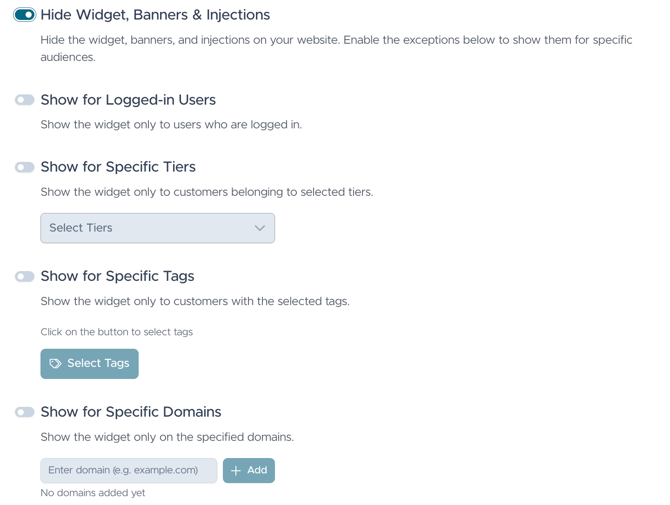
- Activate the rule and display it to customers who only meet the conditions you activate.
1- Customer login: only customers who are logged in to their account on the website will be able to see the widget.
2- Customer tiers: only customers belonging to the specified tier will be able to see the widget.
3- Customer tags: only customers with the specified tags will be able to see the widget.
4- Customer email domain: only customers who have the specified domain as their email domain will be able to see the widget. (example: gmail.com). - Click on Save Settings to save the changes made.