![Kangaroo-Rewards-App-Icon-BLUE-Oct-01-2025-07-47-23-2450-PM.png]](https://support.kangaroorewards.com/hs-fs/hubfs/Kangaroo-Rewards-App-Icon-BLUE-Oct-01-2025-07-47-23-2450-PM.png?height=40&name=Kangaroo-Rewards-App-Icon-BLUE-Oct-01-2025-07-47-23-2450-PM.png)
- Go to the business portal, and click on Referral Programs.
- Click on Update Program.
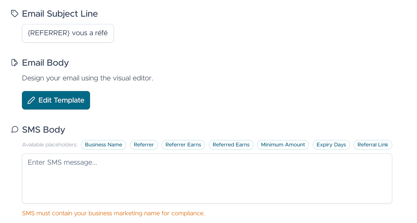
- Scroll down to Prospective Customer Message and Existing Customer Message.
- Under the email/SMS subject and body, a selection of variables can be used to customize the referral message for email or SMS. (click on the variable and it will be applied directly in the text).
- Click Save to finalize.
Note: When the referral is linked based only the referrer will receive the message.