![Kangaroo-Rewards-App-Icon-BLUE-Oct-01-2025-07-47-23-2450-PM.png]](https://support.kangaroorewards.com/hs-fs/hubfs/Kangaroo-Rewards-App-Icon-BLUE-Oct-01-2025-07-47-23-2450-PM.png?height=40&name=Kangaroo-Rewards-App-Icon-BLUE-Oct-01-2025-07-47-23-2450-PM.png)
-
Access the Redemptions Section
-
Go to your Business Portal → Redemptions → Create a Redemption
-
-
Select Redemption Type : Amazon Business
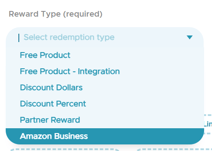
-
Choose the “Fixed Point Value” option.
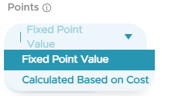
- The “Fixed Point Value” field sets the exact points required for the redemption, and not the general rule in settings
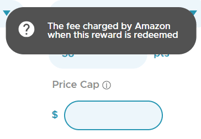
- All products available for this redemption below the Price Cap can be redeemed for this fixed number of points
-
-
-
Fill out the accompanying fields for the redemption
-
-
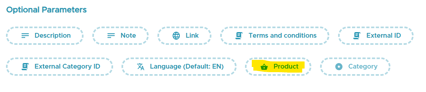
Add Amazon Products, by attaching one or multiple products to the redemption
-
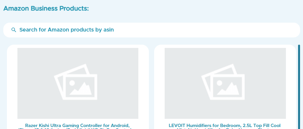
Attach Products by ASIN
-
Select one or multiple Amazon products using their ASIN numbers
-
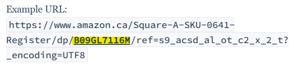
Finding ASINs:
-
On the product detail page or in the URL
-
-
-
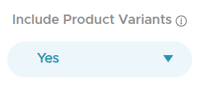
Include Product Variants (Optional)
-
The “Include Product Variants” Yes/No option will:
-
Yes: Include all variants in this redemption
-
No: Only the selected variants will follow the fixed points rule
-
-
Other variants may still appear if “Enable Full Amazon Reward Catalog” is turned on from the settings, but they follow the basic redemption ratio.
-