![Kangaroo-Rewards-App-Icon-BLUE-Oct-01-2025-07-47-23-2450-PM.png]](https://support.kangaroorewards.com/hs-fs/hubfs/Kangaroo-Rewards-App-Icon-BLUE-Oct-01-2025-07-47-23-2450-PM.png?height=40&name=Kangaroo-Rewards-App-Icon-BLUE-Oct-01-2025-07-47-23-2450-PM.png)
Go to the Rules section and disable the rule "Override Earning rule When Importing transactions".
Select an item from your A La Carte section.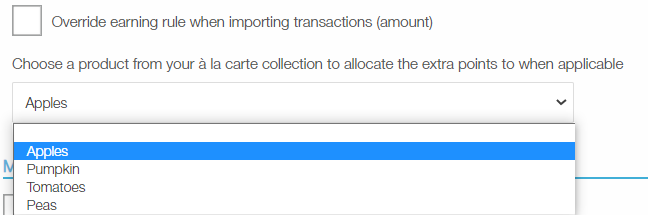
Go to the Import Transaction section in the business portal:
- Click on select a CSV file and choose a file from your documents.
- Click next without changing the field delimiters.
- Choose the correct column on your CSV file for each field. If you are importing points only, make sure to choose the points field. You can leave the "transaction_amount" field blank.
- Click on Import.
- Click on "Review and Validate" to review your transaction before importing.
- Make sure that your transactions have a status of "Ready to Import".
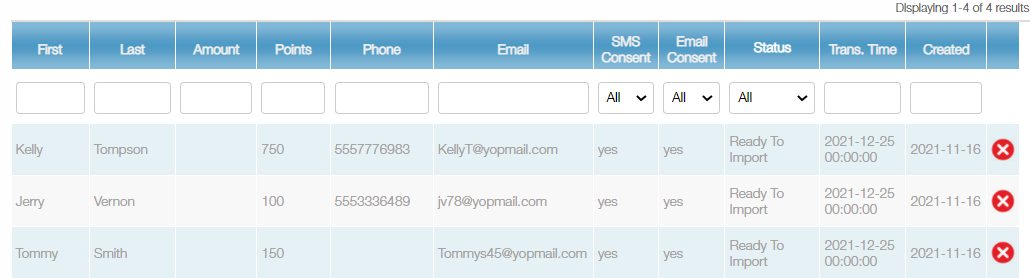
- Click on Import transaction at the bottom left side of the screen
Once the transactions are imported, you will have a report of the transactions that were fully imported and the ones that had an incomplete record or had a duplicate transaction.