![Kangaroo-Rewards-App-Icon-BLUE-Oct-01-2025-07-47-23-2450-PM.png]](https://support.kangaroorewards.com/hs-fs/hubfs/Kangaroo-Rewards-App-Icon-BLUE-Oct-01-2025-07-47-23-2450-PM.png?height=40&name=Kangaroo-Rewards-App-Icon-BLUE-Oct-01-2025-07-47-23-2450-PM.png)
-
Follow the below steps:
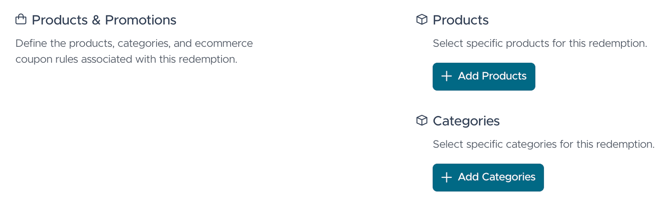
First, create a Redemption or a Basic Offer in the Kangaroo business portal, and select your Ecommerce branch as location.- Scroll down to the Products & Promotions section.
- Press on Add Categories.
-
- Choose the Category from the inventory of your Lightspeed Ecom and press on Save Selection.
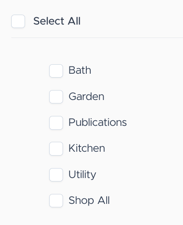
The discount will then only be applied to items from the selected category.
** This option is only applicable for discounts in % or $ (not for Free Products)
- Choose the Category from the inventory of your Lightspeed Ecom and press on Save Selection.