![Kangaroo-Rewards-App-Icon-BLUE-Oct-01-2025-07-47-23-2450-PM.png]](https://support.kangaroorewards.com/hs-fs/hubfs/Kangaroo-Rewards-App-Icon-BLUE-Oct-01-2025-07-47-23-2450-PM.png?height=40&name=Kangaroo-Rewards-App-Icon-BLUE-Oct-01-2025-07-47-23-2450-PM.png)
-
Access the Business Portal
-
Go to your Kangaroo Rewards Business Portal
-
Navigate to Settings → Apps & Integrations

-
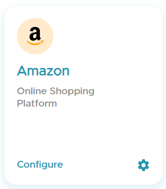
Click on Configuration under the Amazon integration
-
-
Edit Integration Rules
-
In this section, you can configure rules related to the Amazon Business integration
-
-
Rule 1: Enable/Disable Full Amazon Redemption Catalog

- Enable: All products selected on your Amazon Business dashboard will appear in the white-label app, allowing customers to redeem points for them.
-
Disable: Products will disappear from the app. Only Amazon products attached manually when creating a redemption from the Kangaroo Business Portal will be shown.
-
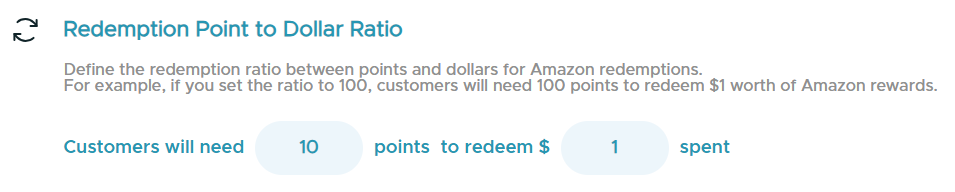
Rule 2: Redemption Point-to-Dollar Ratio
-
Define the ratio between points and dollars for Amazon redemptions.
-
Example: If the ratio is set to 100, customers will need 100 points to redeem $1 worth of Amazon rewards.
- Don't forget to save your changes!
-
Adjust these rules according to your business strategy to control catalog visibility and redemption value efficiently.