![Kangaroo-Rewards-App-Icon-BLUE-Oct-01-2025-07-47-23-2450-PM.png]](https://support.kangaroorewards.com/hs-fs/hubfs/Kangaroo-Rewards-App-Icon-BLUE-Oct-01-2025-07-47-23-2450-PM.png?height=40&name=Kangaroo-Rewards-App-Icon-BLUE-Oct-01-2025-07-47-23-2450-PM.png)
- Login to the business portal.
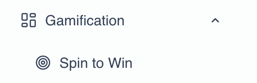
- Navigate to the Gamification Section - Choose Spin to Win.
- Click on “Create a new Spin to Win” button.

- Add a title to your Spin to Win.

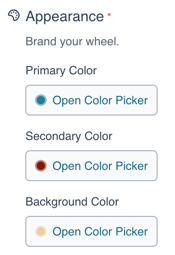
- You can also click on the color picker and select custom colors for the Spin to Win feature.
- Make sure to add a start and end date.

- As for the prizes that would show on the wheel, you can can enable them and add multiple ones for your customers to win. Make sure to fill in the needed information. You can also choose between multiple available types of prizes including: Free product, free points, % off or offer. For the offer, keep in mind that it should be created in the "Offers" section on the Kangaroo business portal before attaching it to the Spin to Win.

Note: Free Product and % Off options are only claimable on the standalone solution. To create a discount or free product redeemable on Ecom or POS integration, you need to create an offer in the offers section, set the offer's audience to targeted, and then select the offer option in the Prize type and attach the offer created.
- Add the:
- Chance of prize selection: Decide the chances of winning a prize.
Note: The total prizes chances cannot exceed 100%.
If the chance is set to 0%, the chance of winning this prize will be calculated based on the remaining chances from other prizes.
- Prize frequency: Decide how often customers can win. For example 3 Winners every 6 Hours for this specific prize.
- Max number of winners: Decide the maximum number of winners per prize.
Note: To keep the prize showing in the wheel without any winners, set the max number of winners to 0. - As a final step, you can choose where the Spin to win can show (means choose the location and also depending on your account - if you are the admin or a specific branch admin), time and day, and limit the number of participations per customer.
Note: that the number of participations is a total number of spins in total, not limited to a day for example. If set to 5 for example, the customer can spin 5 times in a single visit. - Make sure to save when done.