![Kangaroo-Rewards-App-Icon-BLUE-Oct-01-2025-07-47-23-2450-PM.png]](https://support.kangaroorewards.com/hs-fs/hubfs/Kangaroo-Rewards-App-Icon-BLUE-Oct-01-2025-07-47-23-2450-PM.png?height=40&name=Kangaroo-Rewards-App-Icon-BLUE-Oct-01-2025-07-47-23-2450-PM.png)
- Go to the Settings section of the business portal
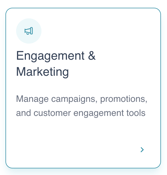
- Click on Engagement & Marketing
- Under Basics, locate Notification Priority

- Choose your preferred delivery method: Email or SMS
- Click Save in the lower right corner of the screen
N.B.: Credits for the welcome message are deducted from your credit pool.