- Go to the offers section and create a new offer.
- Choose the offer type.
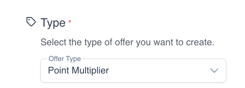
- Fill out the required fields like the offer title, type and upload an image.
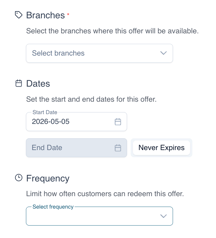
- Choose your target audience you want this offer to show for, Branches and Frequency.
- Fill out the offer conditions like the start and expiry date. You can always enable the Never Expire option as well.
- You can select Product or Category to attach a specific product or category to this offer from your Lightspeed K integration.
- Finalize and click on save.
English
![Kangaroo-Rewards-App-Icon-BLUE-Oct-01-2025-07-47-23-2450-PM.png]](https://support.kangaroorewards.com/hs-fs/hubfs/Kangaroo-Rewards-App-Icon-BLUE-Oct-01-2025-07-47-23-2450-PM.png?height=40&name=Kangaroo-Rewards-App-Icon-BLUE-Oct-01-2025-07-47-23-2450-PM.png)