-
Choose Audience: Select the customer group eligible for the reward.

-
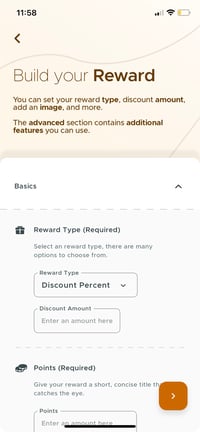
Select Reward Type: Pick a reward type, like discounts or point-based rewards.
-
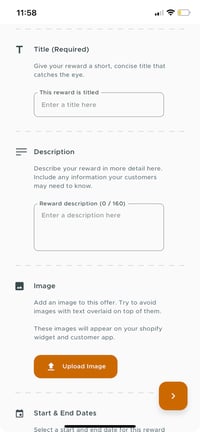
Title and Description: Create a title and description for clarity.
-
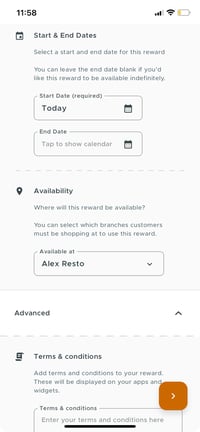
Start and Expiry Date: Define the active period for the reward.
-
Availability: Specify redemption locations (online, in-store, or both).
-
Add Image: Upload an image to represent the reward visually.
-
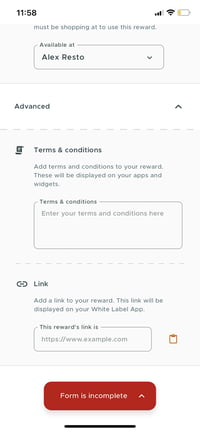
Advanced Settings:
- Frequency: Set redemption frequency.
- Links and Terms: Add any relevant links and terms.
- Minimum Purchase: Define a minimum purchase requirement, if any.
- Days to Claim: State the claim period after activation.
- Claim on App: Specify if it must be redeemed on the app.
- Unlimited Claims: Allow unlimited redemptions or restrict.
-
Save and Launch: Review, save, and launch the reward to make it available.
English
![Kangaroo-Rewards-App-Icon-BLUE-Oct-01-2025-07-47-23-2450-PM.png]](https://support.kangaroorewards.com/hs-fs/hubfs/Kangaroo-Rewards-App-Icon-BLUE-Oct-01-2025-07-47-23-2450-PM.png?height=40&name=Kangaroo-Rewards-App-Icon-BLUE-Oct-01-2025-07-47-23-2450-PM.png)