![Kangaroo-Rewards-App-Icon-BLUE-Oct-01-2025-07-47-23-2450-PM.png]](https://support.kangaroorewards.com/hs-fs/hubfs/Kangaroo-Rewards-App-Icon-BLUE-Oct-01-2025-07-47-23-2450-PM.png?height=40&name=Kangaroo-Rewards-App-Icon-BLUE-Oct-01-2025-07-47-23-2450-PM.png)
The business can choose any product or category/collection from the Inventory and make it point exempt
- First, the business needs to make sure that the products are imported into Kangaroo.
- Go to the product section of the business portal and click on "import products from Lightspeed Retail" - This is only applicable with some integrations. The inventory might automatically be imported into Kangaroo
Then go to the A la Carte section of the business portal and follow these simple steps:
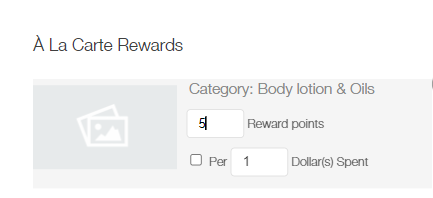
- Choose an item or a category from your Inventory

- Make sure it is in the right side of the screen
- Allocate 0 points for that category or product
- Save