- Go to Kangaroo Rewards business portal.
- Click on Settings.

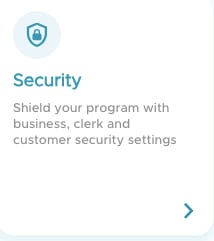
- Click on Security.
- Scroll down to Fraudulent Activities - Amazon Business.
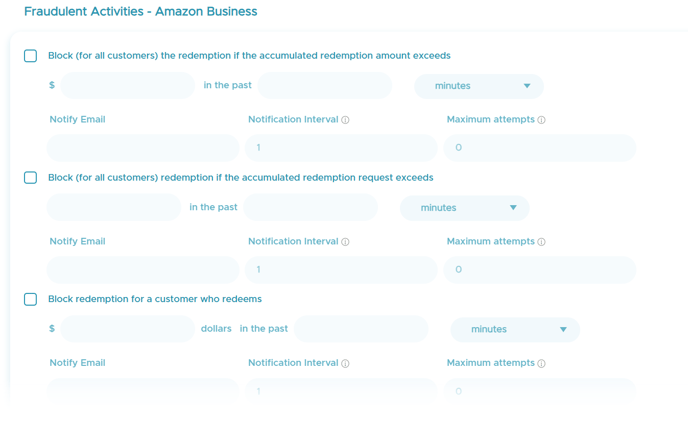
- To block redemptions for all customers based on amount in dollars check the box as shown below and fill in the information based on your needs.

- To block redemption for all customers based on amount of requests check the box as shown below and fill in the information based on your needs.

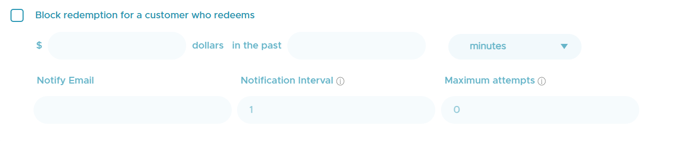
- To block redemption for customers based on a single customer exceeding a specific amount in dollars check the box as shown below and fill in the information based on your needs.
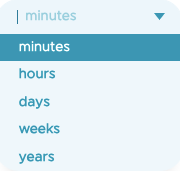
- You can set the time period to be based on minutes, hours, days, weeks and years.
- When the redemption reaches the limit of fraudulent activity limit, the redemption is failed, and the email will be sent to the configured email address associated with the fraudulent activity.
English
![Kangaroo-Rewards-App-Icon-BLUE-Oct-01-2025-07-47-23-2450-PM.png]](https://support.kangaroorewards.com/hs-fs/hubfs/Kangaroo-Rewards-App-Icon-BLUE-Oct-01-2025-07-47-23-2450-PM.png?height=40&name=Kangaroo-Rewards-App-Icon-BLUE-Oct-01-2025-07-47-23-2450-PM.png)