![Kangaroo-Rewards-App-Icon-BLUE-Oct-01-2025-07-47-23-2450-PM.png]](https://support.kangaroorewards.com/hs-fs/hubfs/Kangaroo-Rewards-App-Icon-BLUE-Oct-01-2025-07-47-23-2450-PM.png?height=40&name=Kangaroo-Rewards-App-Icon-BLUE-Oct-01-2025-07-47-23-2450-PM.png)
Only available for Shopify Plus stores.
Brief Description
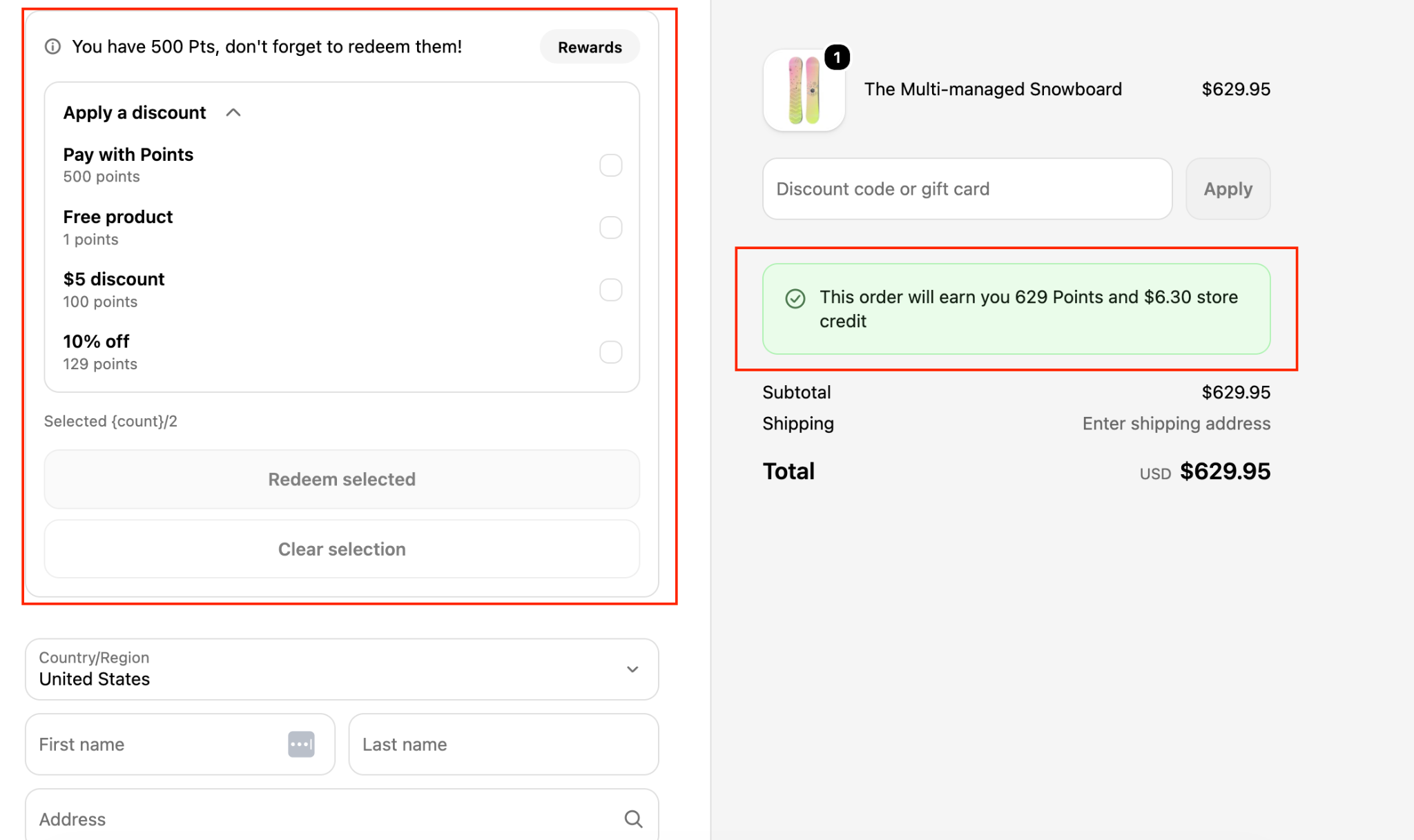
Shopify Redemption at Checkout allows customers to redeem their loyalty rewards directly during the Shopify checkout process, creating a faster and more seamless checkout experience.
Instead of manually copying and entering coupon codes, customers can:
- View their available loyalty points.
- See all eligible rewards and offers.
- Redeem rewards directly from the checkout page.
- Redeem multiple rewards in the same order (when permitted by your reward configuration).
- Automatically have their points deducted when a reward is applied.
- Receive their points back automatically if a reward is removed before completing the purchase.
Customers will also see an estimate of the points they will earn for their current purchase before placing the order.
Note: This feature is available only for Shopify Plus stores.
Installation Step 1 – Open the Editor
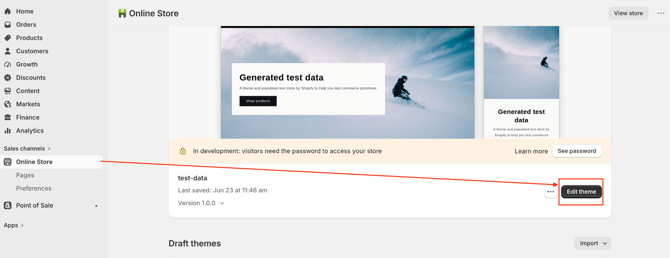
- Log in to your Shopify Admin.
- Navigate to Online Store.
- Click Edit Theme.
Step 2 – Select the Checkout Page
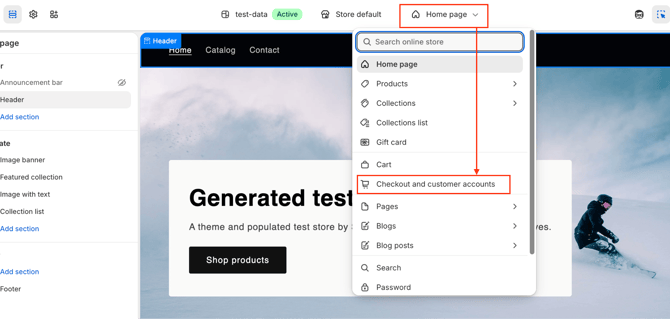
From the page selector at the top of the editor, select: "Checkout and customer accounts"
Step 3 – Add the Kangaroo Checkout Blocks
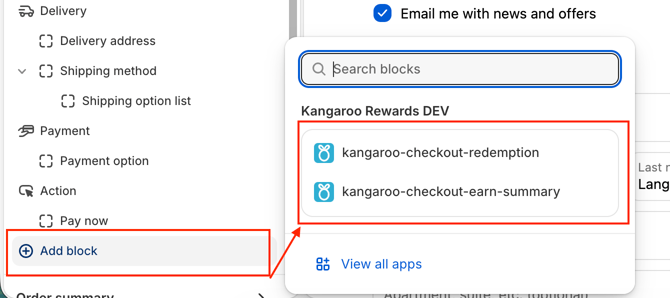
- Click Add block.
- Add both Kangaroo checkout blocks as shown in the screenshot below.
- Click Save in the top-right corner.
Step 4 – Enable Checkout Redemption in Kangaroo
- Log in to your Kangaroo Business Portal.
- Navigate to: Settings → Apps & Integrations → Shopify
- Scroll down to the Injection Settings section and enable: "Allow Redemption at Checkout"
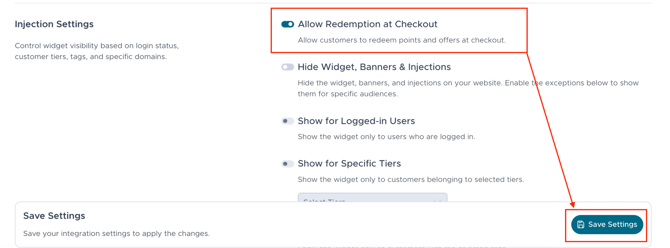
- Click Save.
Customer Experience
Once the feature has been enabled, customers will be able to:
- View their current loyalty points balance during checkout.
- See all rewards and offers they are eligible to redeem.
- Apply rewards directly without entering coupon codes manually.
- Redeem multiple rewards when allowed by your loyalty program.
- Automatically recover their points if a reward is removed before checkout is completed.
- View how many loyalty points they will earn from the current purchase.
This creates a smoother redemption experience while encouraging customers to engage with your loyalty program at the point of purchase.