![Kangaroo-Rewards-App-Icon-BLUE-Oct-01-2025-07-47-23-2450-PM.png]](https://support.kangaroorewards.com/hs-fs/hubfs/Kangaroo-Rewards-App-Icon-BLUE-Oct-01-2025-07-47-23-2450-PM.png?height=40&name=Kangaroo-Rewards-App-Icon-BLUE-Oct-01-2025-07-47-23-2450-PM.png)
Follow the below steps:
- Log in to the Kangaroo business portal and go to Settings.

- Go to Apps & Integrations.
- Go to Magento V2 and press on Configure.
- Scroll down to Advanced.

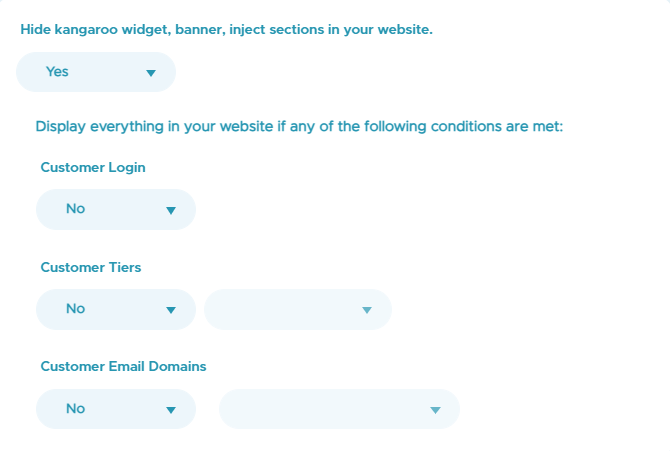
- After activating the Hide kangaroo widget, banner, inject sections in your website, you can display them to customers who meet the conditions you activate.
- Don’t forget to Save the changes.