- Login in to the Kangaroo Business Portal.
- Go to the Partner Rewards section under Advanced.

- The redeemed rewards will appear.
- Select a status from the drop-down list.
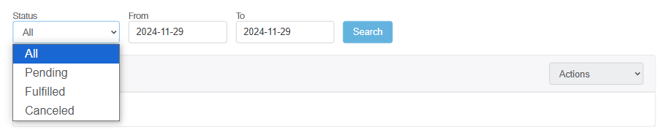
- Fill the From and To fields by choosing the date.
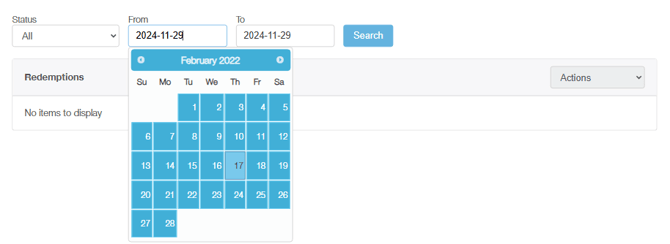
-
- Click on the Search button and a report for the redeeming partner reward will show.
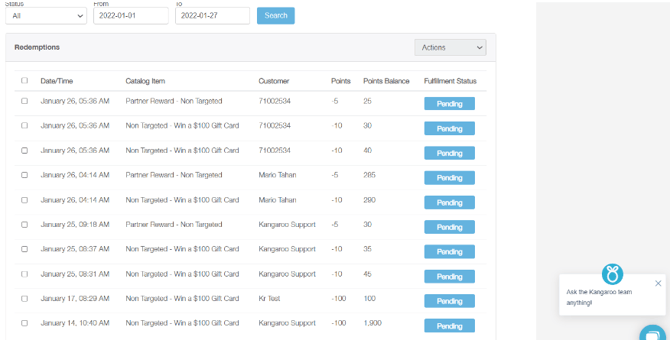
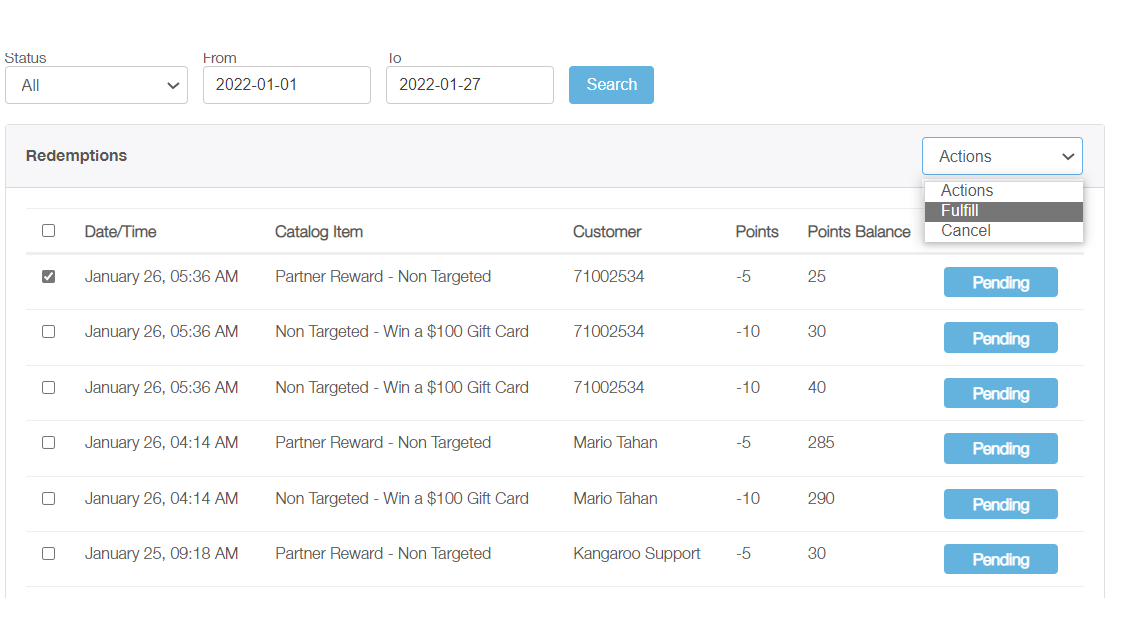
- Select the checkbox of the redemption that needs to be fulfilled.
- Click on the Action field on the right side of the page and choose the Cancel status from the drop-down box.
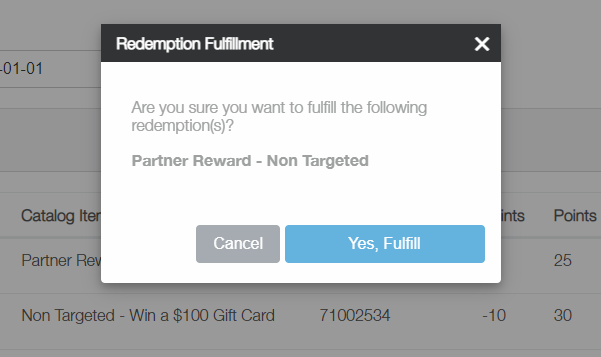
- A pop-up message will appear on the screen. Click on the Yes, the on Cancel button and then the status will be changed to Canceled.
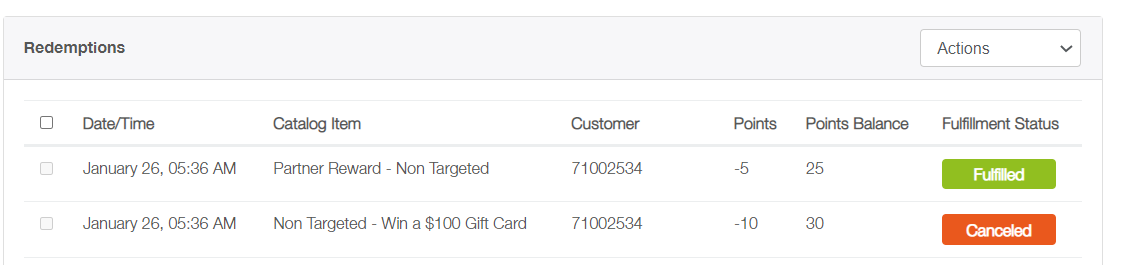
- Click on the Search button and a report for the redeeming partner reward will show.
-
English
![Kangaroo-Rewards-App-Icon-BLUE-Oct-01-2025-07-47-23-2450-PM.png]](https://support.kangaroorewards.com/hs-fs/hubfs/Kangaroo-Rewards-App-Icon-BLUE-Oct-01-2025-07-47-23-2450-PM.png?height=40&name=Kangaroo-Rewards-App-Icon-BLUE-Oct-01-2025-07-47-23-2450-PM.png)