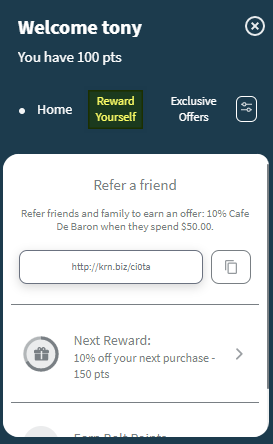
- The customers logs in to their account with their email or mobile number and clicks on the Widget.

- The customer clicks on the Offer or Reward Yourself section.
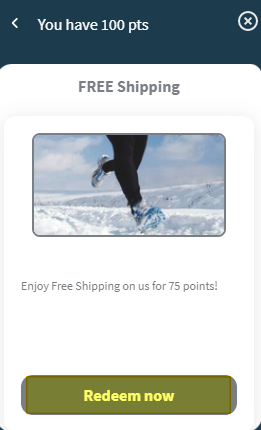
- The customer selects an offer or a reward and clicks on Redeem Now.
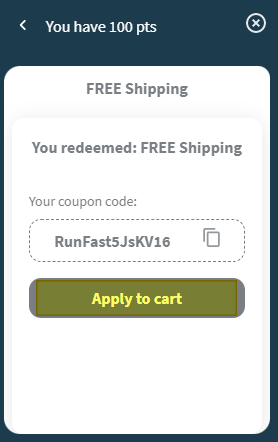
- The customer clicks on Apply to cart to use the coupon generated.
- The coupon code will be attached to the customer's transaction and displayed in their cart.
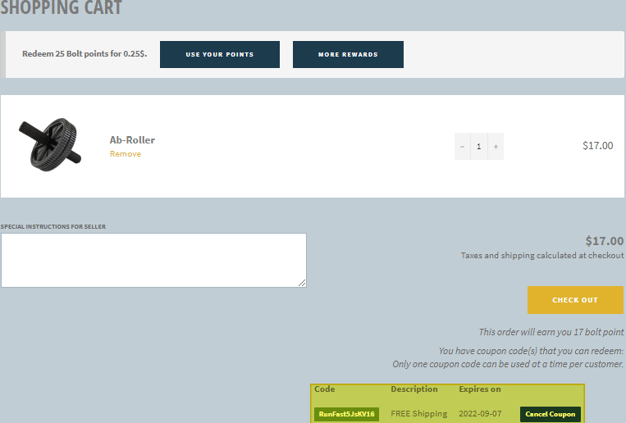
- They can proceed with the transaction normally.
English
![Kangaroo-Rewards-App-Icon-BLUE-Oct-01-2025-07-47-23-2450-PM.png]](https://support.kangaroorewards.com/hs-fs/hubfs/Kangaroo-Rewards-App-Icon-BLUE-Oct-01-2025-07-47-23-2450-PM.png?height=40&name=Kangaroo-Rewards-App-Icon-BLUE-Oct-01-2025-07-47-23-2450-PM.png)